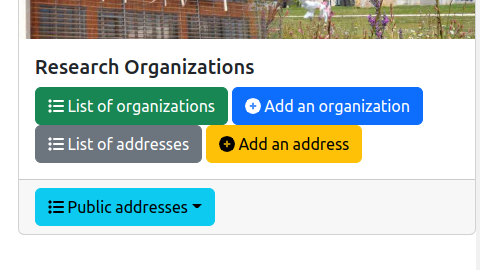
The information system of the lab contains research organizations. These research organization may have geographical or postal addresses. The management of these addresses is accessible from the general administration page:
As it is illustrated on the figure above, three features are provided:
List of addresses: display the list of all the addresses independently of the research organizations.Add an address: add an address in the information system.Public addresses: show the addresses that may be displayed in a front website, as illustrated by the following figure.
The entire list of the addresses is displayed in a table:

The columns of the table are the following:
ID: the identifier of the address inside the lab's information system.Name: the name of the address that is used for selecting the address in the web forms.Street: the name of street.Zip code: the ZIP code for the address.City: the name of the city.Actions: list of tools to be applied on an address:
The backend software provides a form for editing or adding an address in the information system. This form contains the mandatory informations (marked with a red star) and the optional informations to be associated to an address:

Name: it is the name of the address that is used for selecting the address in the web forms.Complementary information: any additional information that is associated to the address. It is usually the name of the institution such as the university.Street: the name of street.Zip code: the ZIP code for the address.City: the name of the city.Geographical coordinates: the GPS coordinates of the address. It is usually two floating point numbers separated by a comma character.Link to the Google Map page of the address: the URL of the page on Google Map that shows the address.Background image associated to the address: a picture that may be used in the front-end page for showing the address.